

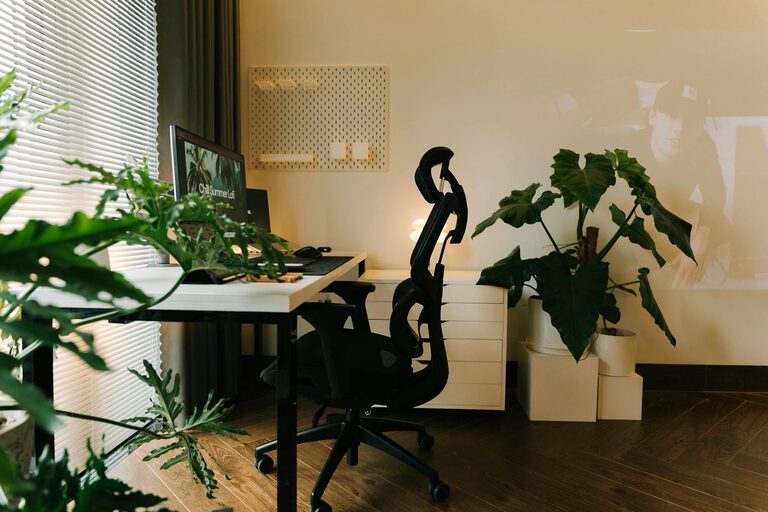
Creating a comfortable and productive home office is essential for anyone working remotely or spending significant time at home managing tasks. A well-designed workspace not only enhances your focus but also supports your well-being throughout the day. Here are practical tips to help you set up a home office that meets your needs and keeps you motivated.
Choose the Right Location
Finding the right spot for your home office is the first step. Ideally, select a quiet area with minimal distractions, good natural light, and enough space for your furniture and equipment. Avoid high-traffic zones like the kitchen or living room to minimize interruptions.
Consider Lighting
Natural light is best, as it helps reduce eye strain and improves mood. Position your desk near a window if possible. Supplement with adjustable artificial lighting, such as a desk lamp with a warm light tone, to ensure your workspace is well-lit during darker hours.
Invest in Ergonomic Furniture
Comfort is key to maintaining productivity. Investing in ergonomic furniture helps prevent pain and discomfort associated with long hours at a desk.
– Ergonomic Chair: Look for adjustable features like seat height, lumbar support, and armrests. A comfortable chair supports good posture.
– Desk: Choose a desk with enough surface area for your computer, paperwork, and other tools. Consider a sit-stand desk if you want the option to change positions throughout the day.
– Monitor Stand: Elevate your monitor to eye level to reduce neck strain.
Organize and Declutter
A tidy workspace promotes clear thinking and efficiency. Use organizational tools such as shelves, filing cabinets, and drawer dividers to keep supplies and paperwork in order.
– Keep only essential items on your desk.
– Use cable organizers to manage cords and reduce clutter.
– Label storage spaces for easy access.
Personalize Your Space
Adding personal touches can make your home office more inviting and inspiring.
– Include plants to bring a bit of nature indoors and improve air quality.
– Hang artwork or photos that motivate you.
– Choose colors and decorations that make you feel comfortable but don’t distract from work.
Minimize Noise and Distractions
A calm environment supports concentration. Depending on your home setting, you might want to:
– Use noise-cancelling headphones or white noise machines.
– Set clear boundaries with family or housemates about your work hours.
– Keep your workspace clean and free from unrelated clutter.
Optimize Technology and Connectivity
Reliable technology is vital for productivity. Ensure your internet connection is strong, and invest in good-quality equipment.
– Use a fast and stable Wi-Fi connection.
– Get a quality keyboard and mouse that suit your style.
– Consider dual monitors if your work requires multitasking.
– Keep software updated to prevent disruptions.
Develop a Routine
A consistent daily routine helps separate work from personal life.
– Set regular work hours.
– Take breaks to stretch and rest your eyes.
– Use a timer or app to remind you when to pause.
– Start each day by organizing your tasks.
Stay Comfortable with Temperature and Air Quality
Maintaining a comfortable temperature and fresh air contributes to your well-being.
– Use a fan or heater as needed.
– Open windows when possible to let in fresh air.
– Incorporate air-purifying plants or air filters.
Enhance Motivation and Focus
Simple strategies can boost your motivation and keep distractions at bay.
– Use a task list or planner to prioritize tasks.
– Play background music if it helps your concentration.
– Take short movement breaks to refresh your mind.
—
Creating a home office that suits your needs takes some planning but pays off with better productivity and comfort. By thoughtfully selecting the location, furniture, and organization tools, and by building a routine that supports focus, you’ll turn your workspace into a place where you can thrive.