

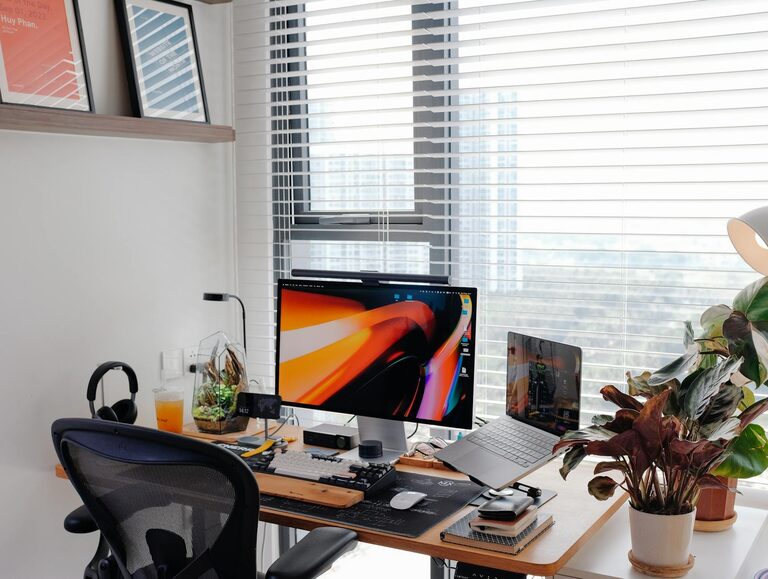
Creating a productive home office space is essential for anyone working remotely or running a business from home. A well-designed workspace can improve focus, increase efficiency, and promote a better work-life balance. In this post, we’ll share practical tips to help you create a home office that supports your productivity and well-being.
Choose the Right Location
Consider Natural Light
One of the most important factors for a productive home office is natural light. If possible, set up your workspace near a window. Natural light helps reduce eye strain and boosts mood.
Minimize Distractions
Select a quiet area away from high-traffic zones in your home. Avoid places where the TV or household noise can interrupt your concentration.
Invest in Ergonomic Furniture
Desk and Chair
Your desk and chair are the foundation of a comfortable workspace. Choose a chair with ergonomic support that encourages good posture, and a desk at the right height to avoid strain on your wrists and shoulders.
Standing Desks
If you prefer, consider a standing desk or convertible desk that allows you to switch between sitting and standing, which can improve circulation and energy levels throughout the day.
Organize Your Workspace
Declutter Daily
Keep your desk tidy by removing unnecessary items. A clutter-free environment reduces distractions and helps you focus better.
Use Smart Storage Solutions
Use shelves, filing cabinets, or drawer organizers to keep supplies, documents, and gadgets neatly arranged and easy to find.
Optimize Lighting
Combine Natural and Artificial Light
If natural light is limited, supplement with adjustable desk lamps or overhead lights that offer bright, even illumination without glare.
Avoid Screen Glare
Position your computer screen to avoid reflections from windows or lights. Glare can cause headaches and make it harder to concentrate.
Set Up Technology Efficiently
Reliable Internet Connection
A fast and stable internet connection is crucial for smooth video calls, browsing, and cloud-based work.
Organize Cables
Use cable organizers or clips to keep cords untangled and out of the way. This avoids distractions and accidental disconnections.
Invest in Quality Equipment
Consider high-quality headphones with noise cancellation and a good microphone for clear communication during virtual meetings.
Personalize Your Space
Add Plants
Live plants can improve air quality and add a calming, natural element to your office.
Use Inspiring Decor
Include art, photos, or motivational quotes that create a positive atmosphere and encourage creativity.
Establish Boundaries
Set Clear Work Hours
Define your working hours and communicate them with family or housemates to minimize interruptions.
Create a Transition Ritual
Have a routine to start and end your workday, such as turning on your computer or tidying the desk, to signal when work begins and ends.
Take Care of Your Well-being
Schedule Breaks
Plan short breaks every 60 to 90 minutes to stand, stretch, and rest your eyes.
Stay Hydrated and Nourished
Keep water nearby and enjoy healthy snacks to maintain energy levels.
Incorporate Movement
Consider a short walk, yoga, or stretching exercises to reduce stiffness and enhance focus.
Maintain Flexibility
Adjust Your Setup
Be willing to rearrange furniture or try new tools if your current setup feels uncomfortable or hampers productivity.
Try Different Techniques
Experiment with time management methods, like the Pomodoro technique or time blocking, to find what works best for you.
—
By thoughtfully designing your home office with these tips, you can create a space that helps you stay focused, comfortable, and motivated throughout your workday. Remember that small changes can make a big difference in your productivity and overall work experience.